mediaTV playout

Radio and television playout built for multimedia programming.

Plan, schedule and play audio and video from one operational workflow. Run live-assist programming, unattended automation and visual radio with the timing control broadcasters need.
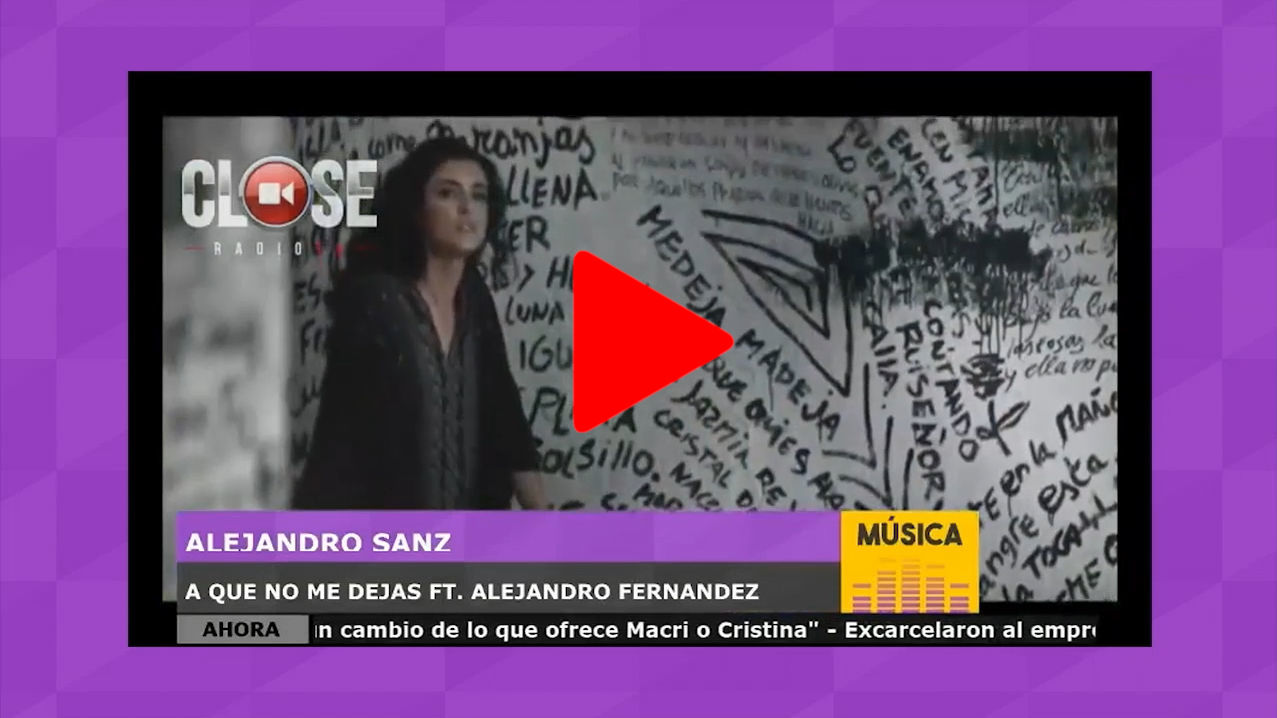
  • Native audio and video
  • Live assist and automation
mediaTV · Studio ATuesday programming
ON AIR10:24:37
Program logAuto · Clock 10:00
Station IDImaging · WAV00:12
Midnight CityM83 · Music + video04:04
VoiceTrackMorning presenter00:28
Dynamic music groupPop rotation · 1990–today04:18
Example visual radio output combining presenter video, titles and station graphics PROGRAM
Audio + video synchronized1080p
Player AMusic · 03:41 remaining
Player BCommercial block · Cued
Aux 1Remote stream · Connected
Native audio + video Clocks and grids Commercial scheduling Visual radio ready
One programming layer

More than an audio playlist with video added later.

mediaTV was designed to treat sound and picture as part of the same schedule. Music, commercials, sweepers, presenter links and external streams move through a coordinated playout sequence.

Program with structureBuild hourly and daily grids from reusable clocks, events and rules. Operate with flexibilitySwitch between live assist, auxiliaries, playlists and automated sequences. Deliver in syncKeep related audio and video together through each on-air transition.
Operational modes

Adapt the playout to the way your station works.

Use the same media library and schedule across operator-led programs, automated dayparts, networks and visual radio output.

Operator-led

Live assist

Keep upcoming content visible, cue players and manage auxiliaries while the presenter or operator controls the pace.

Scheduled

Unattended automation

Follow programmed clocks, rotations, scheduled events and fixed-time markers when no operator is present.

Networks

Repeaters and local breaks

Coordinate the main feed while replacing selected commercial breaks with content scheduled for each local operation.

Multimedia

Visual radio

Play the video related to music, imaging and commercials, then hand the output to the CLOSE visual production workflow.

External sources

Remote streams

Bring audio and video URL streams, remote presenters and other external programming into the schedule.

Pre-produced

VoiceTrack

Record presenter links for scheduled playback and prepare programs with audio and video continuity in advance.

From library to air

One controlled path for every scheduled element.

Organize media, apply programming rules, schedule the sequence and route the finished output to radio, television or visual radio.

01

Media library

Audio, video, imaging, spots and remote sources.

02

Rules and clocks

Categories, rotations, separation and timing.

03

Program grid

Daily schedules, events and commercial blocks.

04

Players

Live assist, automatic playout and auxiliaries.

05

On-air output

Synchronized audio and video for every destination.

Wednesday grid 24-hour schedule
06:00 Morning10:00 Daytime16:00 Drive
60:00Program clock
Music 24:00 Talk 18:00 Spots 08:00 Imaging 10:00
Artist separation45 min Fixed marker:00 / :30 EventNews at 10:30
Programming and scheduling

Build the day from clocks, rules and precise events.

Create reusable programming structures, then adapt them by day, program or station. Fixed-time markers and scheduled events help keep the log aligned with the clock.

  • Hourly and daily gridsUse programmed clocks as the foundation for repeatable schedules.
  • Dynamic categoriesSelect tracks from Media Manager criteria rather than maintaining static lists.
  • Rotation policiesControl artist separation and content patterns across the day.
  • Scheduled actionsTrigger content and operational events at defined times.
Commercial scheduler

Place spots, blocks and local breaks where they belong.

Schedule commercials inside the programming grid, maintain the planned duration of each block and prepare different break content for network repeaters.

Scheduled campaignsAssign spots to dates, times and planned blocks. Block timingSee the duration and sequence before the break airs. Local replacementPrepare local commercial breaks for repeater operations.
Commercial break · 10:24:2402:30 total
Station promoLocal sponsorRetail spotID
Morning sponsor open00:36 · Audio + video Local campaign 0400:48 · Region A Retail spot00:40 · All stations Return-to-program ID00:26 · Station imaging
Duration verifiedNext: VoiceTrack · 00:28
Media Manager

Organize the complete audio and video library.

Find the right asset quickly, group content by searchable criteria and prepare timing marks before it enters a schedule.

Modern media formats

Manage commonly used WAV, MP3 and MP4 assets in the same library.

Audio · Video

Dynamic categorization

Build track groups from search criteria and metadata maintained in Media Manager.

Search · Groups

Precise transitions

Prepare virtual intro and outro marks, then fine-tune smooth audio crossfades.

Marks · Crossfade

Remote content

Add external audio and video URL streams to scheduled programming when required.

URLs · Streams
CLOSE RadioTV example showing coordinated audio and video playout
Linked mediaAudio + video · in sequence
Synchronized by design

Keep music, commercials and imaging connected to the picture.

Associate the appropriate video with each scheduled audio element so the visual output follows the radio programming. mediaTV keeps the relationship inside the playout workflow instead of leaving it to a separate manual process.

  • MusicPlay the selected track with its related video.
  • CommercialsCoordinate each audio spot with its visual asset.
  • Sweepers and imagingMaintain branding through audio and video transitions.
  • Live visual radioHand off scheduled media to scenes, cameras and graphics.
Connected operation

Use mediaTV as the programming core of a broader broadcast workflow.

Route players to the appropriate audio hardware, trigger scenes from a browser and coordinate playout with CLOSE RadioTV production and distribution tools.

Plan your playout

See mediaTV working with your programming and signal path.

Review your station format, schedule, commercial workflow, audio routing and visual radio requirements with a CLOSE RadioTV specialist.