Software digital radio mixer

The radio console, reimagined in software.

Mix, process and route professional broadcast audio from a familiar multitouch interface. KIWI MIX runs on standard PCs and laptops, connects to physical and network audio, and can be controlled from modern browsers.
  • Familiar broadcast workflow
  • No dedicated console surface required
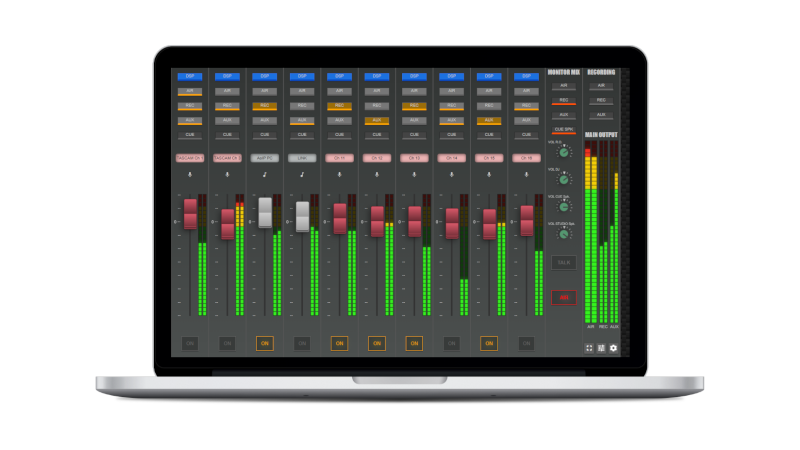
HTML5 touch control AoIP ready Per-fader DSP KIWI MIX software radio console displayed on a laptop
32 inputs / 32 outputs 16 faders with DSP HTML5 touch control 32-bit floating point
Virtualization reaches the studio

A complete mixing environment without a fixed hardware surface.

KIWI MIX turns a trusted Windows PC into the center of a modern radio studio—combining real-time mixing, audio processing and routing with access to local applications and Audio over IP sources.

Install like softwareDeploy the mixer on a standard PC or capable touchscreen laptop. Connect what you useBring together USB, analog, Bluetooth, WebRTC and network audio. Control from anywhereOperate through a modern browser on computers, tablets and smartphones.
The virtual studio advantage

Put software flexibility behind a familiar radio workflow.

The interface keeps the controls talent expects while extending the console through routing, remote access, processing and scalable channel counts.

I/O capacity

32 input and 32 output channels

Build a diverse signal path from digital, network and balanced analog sources.

Mixing

16 familiar faders

Work with expected radio controls: faders, on/off, cue, recording and bus assignments.

Processing

Individual DSP

Apply dedicated equalization, compression and gain control to each fader.

Interface

Multitouch operation

Run the console from a touchscreen PC, laptop, tablet or browser-connected device.

Connectivity

AoIP-ready routing

Connect PC audio, KIWI AoIP and compatible studio network sources.

Growth

Scalable architecture

Begin with 16 faders and expand the software console as operational needs change.

Intuitive by design

A digital console that still feels like radio.

Essential controls stay visible and direct. Operators do not need to decode abstract icons or move through layers of screens during a live program.
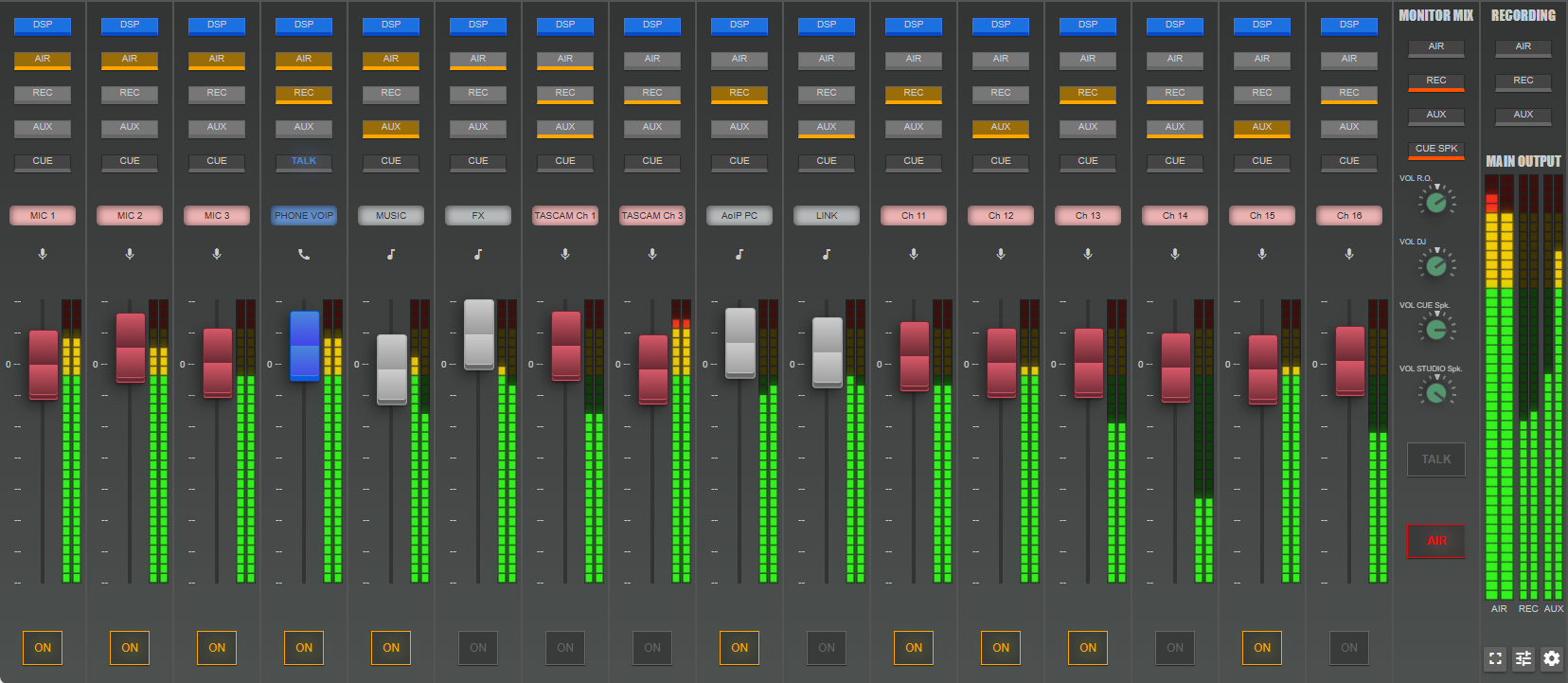
KIWI MIX · STUDIO A
16 FADERSON AIR32-BIT FLOAT
Full KIWI MIX interface with 16 faders, channel controls and main output meters
Confidence metersSee every active channel at a glance. Broadcast busesAssign air, record, auxiliary and cue paths directly. DSP accessOpen individual processing from each fader. Monitor and recordingKeep operational controls beside the main mix.
Connect the existing studio

Physical, virtual and network audio in one mix.

KIWI MIX is designed to work with the equipment and applications already present in a broadcast operation. Choose the connection that matches each source instead of forcing every signal through one type of interface.
KIWI MIXMix · Process · Route
USBDigital interfaces
XLR / TRSBalanced analog
BluetoothWireless sources
WebRTCRemote contributors
DanteStudio AoIP
KIWI AoIPNetwork audio
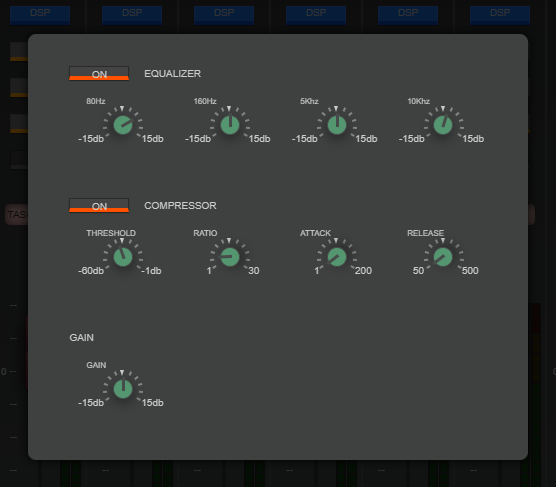
KIWI MIX individual fader DSP with equalizer, compressor and gain controls
Parametric EQ Compressor Gain
DSP on every fader

Shape each voice, source and music channel independently.

Individual processing makes it possible to build a consistent program mix without sending every source through the same settings.

  • Parametric equalizationAdjust tonal balance for microphones, calls, music and external sources.
  • Dedicated compressionControl dynamics per fader while preserving the character of each input.
  • Independent gainSet the final level of the channel inside its own processing path.
  • 32-bit floating-point processingMaintain precision through real-time mixing, summing and processing.
Simplified deployment

Build the input map around your studio.

Assign physical interfaces, virtual sound cards and network sources to named channels, then choose the input type and routing required by the operation.
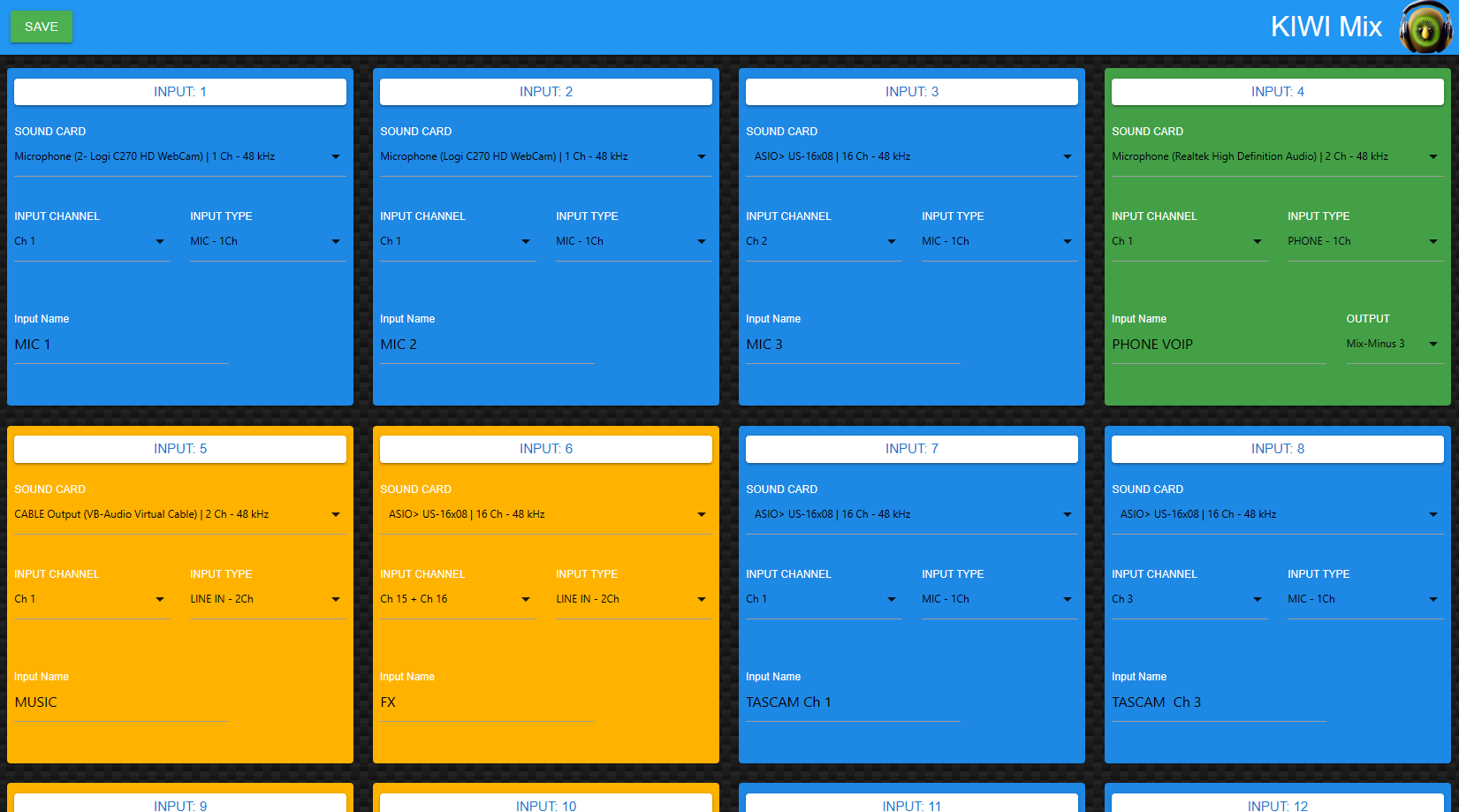
Select the sourceChoose a connected sound device or virtual input. Assign the channelMap the correct mono or stereo channel to the fader. Name and route itGive the source a clear operational label and output path. Save the studioKeep the configuration ready for the recurring workflow.
KIWI MIX · INPUT CONFIGURATION
KIWI MIX input setup screen showing channel, sound card and routing assignments
Studio mobility

Take the console to the production—not only the production to the console.

Use a capable touchscreen laptop for news coverage, remote broadcasts, home studios, temporary facilities or outside production. Connect back through LAN, WAN or mobile networks according to the selected workflow.

Live studios Newsrooms OB and remotes Home studios Recovery sites Production rooms
Portable KIWI MIX radio studio running on a laptop
REMOTE STUDIOMAIN FACILITY
Scale without rebuilding the desk

Start with the console you need today.

The software architecture can begin with a base 16-fader operation and expand to support larger workflows without committing to unused physical surface space.

Console capacityExpandable software architecture
16Base faders 32Expanded studio 48Production hub 64Maximum layout
Grow by workflowAdd capacity as the operation changes. Protect studio spaceAvoid dedicating more counter space to the surface. Update in softwareSupport integrations and improvements without replacing the entire console.
Build your virtual studio

See how KIWI MIX fits your sources, staff and production workflow.

Review channel count, interfaces, AoIP routing, remote access and studio requirements with a CLOSE RadioTV specialist.